Here are all ten website animations from my video, with a prompt for each one. Start with the animated gradient if you want a background that does its own thing. Try the cursor spotlight if you want a response you can feel straight away when you move your mouse.
Download all ten prompts as a text file.
How to use these prompts
- Pick one effect and copy its prompt. Paste it into a new Claude or ChatGPT chat. Each prompt starts by asking about your site or the section you want to animate. It’ll ask one question at a time and use your answers to build the effect.
- Try it on its own first. Open the preview if your chat offers one, or save the demo as an
.htmlfile and open it in your browser. You can attach the example screenshot to show the effect you’re after. Share your own page or its code when you’re ready to fit it into your site. - Add it to a draft page and test it. Check the page on a phone, tab through the links and buttons, and try your device’s Reduce Motion setting. Then ask for one change at a time, like “slow it down” or “use my brand colours”. W3C guidance on reduced motion.
1. Liquid glass cursor
A blob of clear glass follows your mouse and bends what’s underneath it. Look at how the letters stretch where they meet the edge of the lens. Try moving the cursor across a strong line in your own page to see whether you’re getting that same bend.
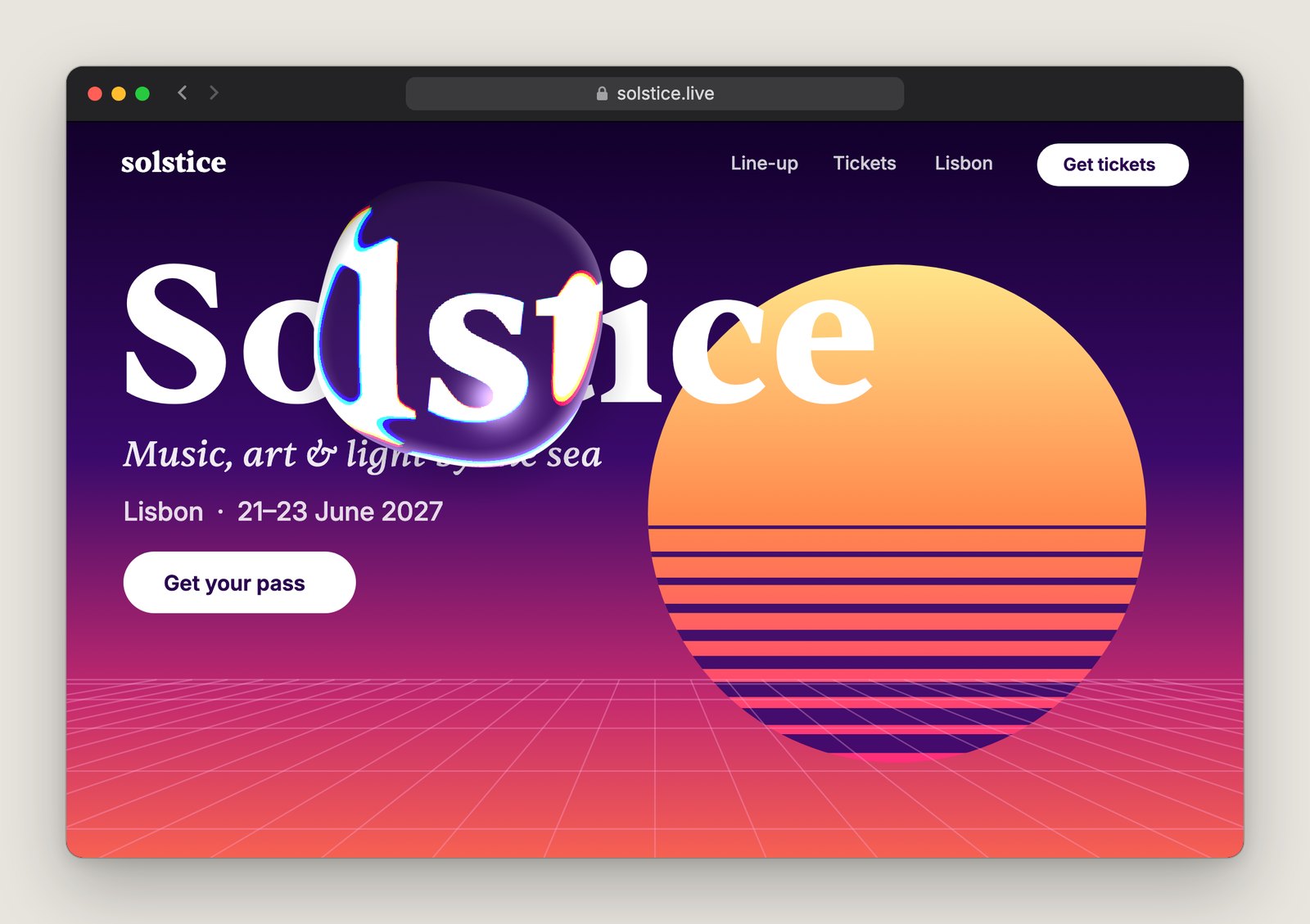
Build a liquid glass cursor for my website. Use what I’ve shared. Ask only for missing details, such as where it should go, one question at a time. Wait for each answer.

Make a clear, rounded lens follow the mouse with a little lag. Bend and magnify the text and artwork beneath it, with a subtle rainbow fringe at the rim. Keep the regular pointer and clicks intact. Fall back to a translucent highlight if distortion is unavailable, and turn the effect off for touch and reduced motion.

Give me a standalone HTML demo and show me where to adjust the lens size and distortion.
2. Particle headline
The headline is made of tiny squares. Move your mouse through a few letters and the particles scatter, then drift back into place. The movement is much clearer when the particles farther from the cursor stay put.
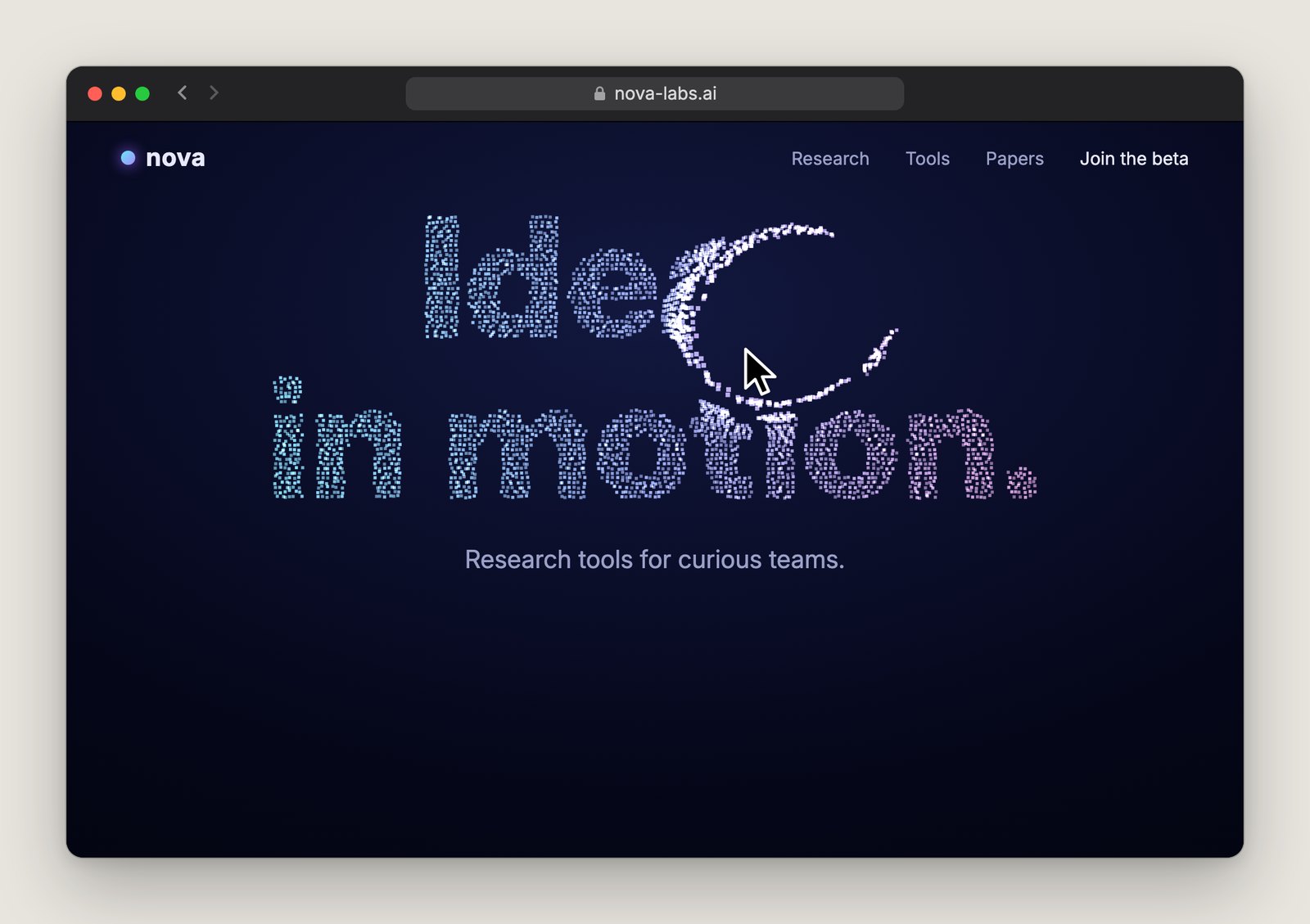
Build a particle headline for my website. Use any copy and styling I’ve shared. Ask only for missing details, starting with the headline if needed. Ask one question at a time and wait for each answer.

Form the letters from tiny square particles. Push particles near the pointer outwards, leaving the rest in place, then ease each one home. Keep the real heading accessible and show it on touch devices, with reduced motion or if the animation fails. Keep it legible at narrow widths.

Give me a standalone HTML demo with adjustable scatter radius and return speed.
3. ASCII 3D
Letters, numbers and symbols make up a 3D shape. It turns towards your mouse and morphs into another shape when you click. Watch the outline as it turns. The changing density of the characters is what gives it depth.
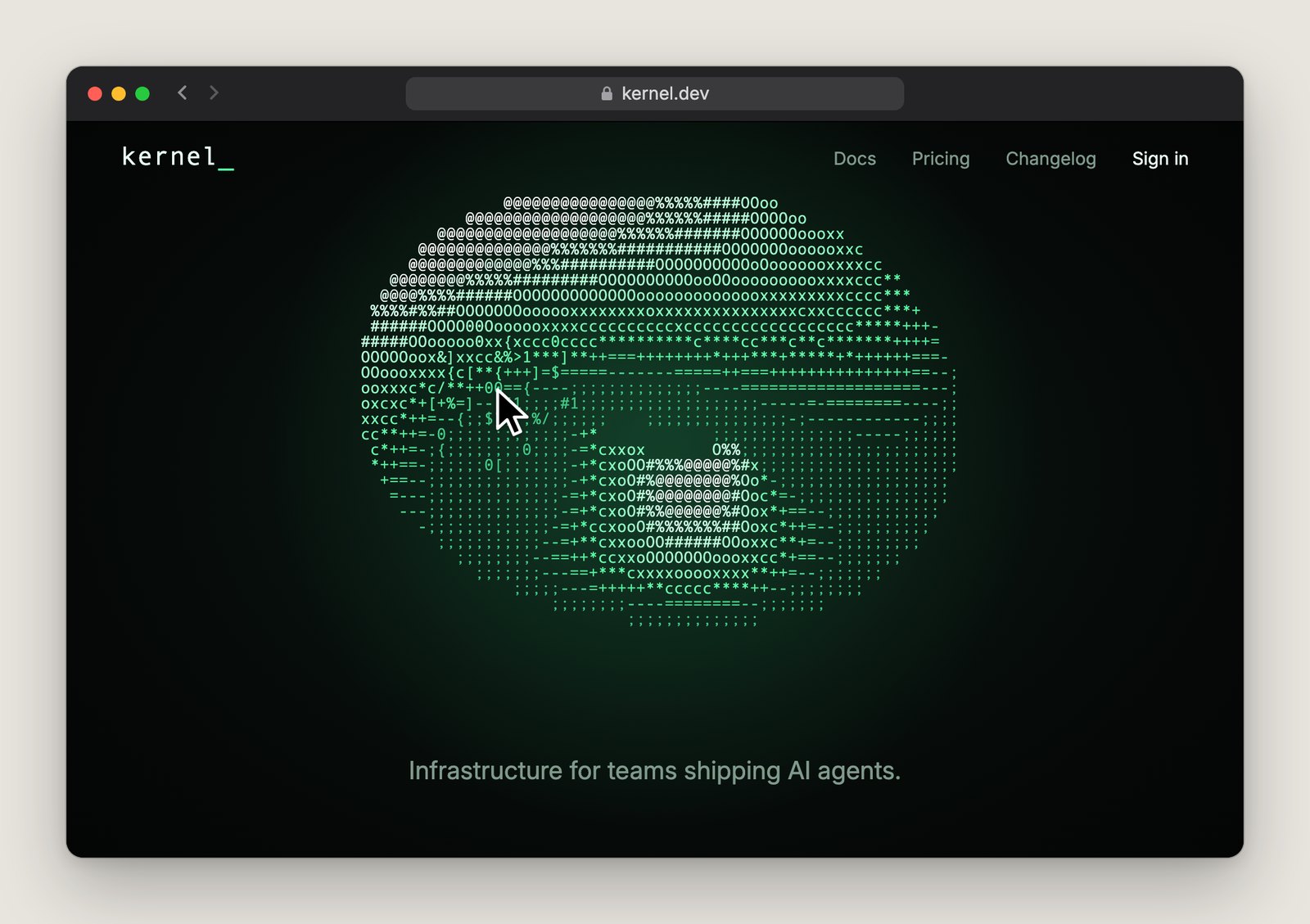
Build an interactive 3D shape from text characters. Use the preferences I’ve shared. Ask only for missing details, such as which shapes to morph between. Ask one question at a time and wait for each answer.

Shade a monospaced grid with dense characters like @ on lit faces and sparse ones like full stops in shadow. Turn the shape towards the pointer and morph it on click. Add a labelled button for touch and keyboard, with instant switching in reduced motion. Give screen readers a short description and hide the character grid from them.

Give me a standalone HTML demo with adjustable colour and morph speed.
4. Fluid cursor
This one feels like dragging your finger through paint in water. Move the mouse quickly, then stop. The colour should curl and disperse for a moment after the pointer comes to rest.
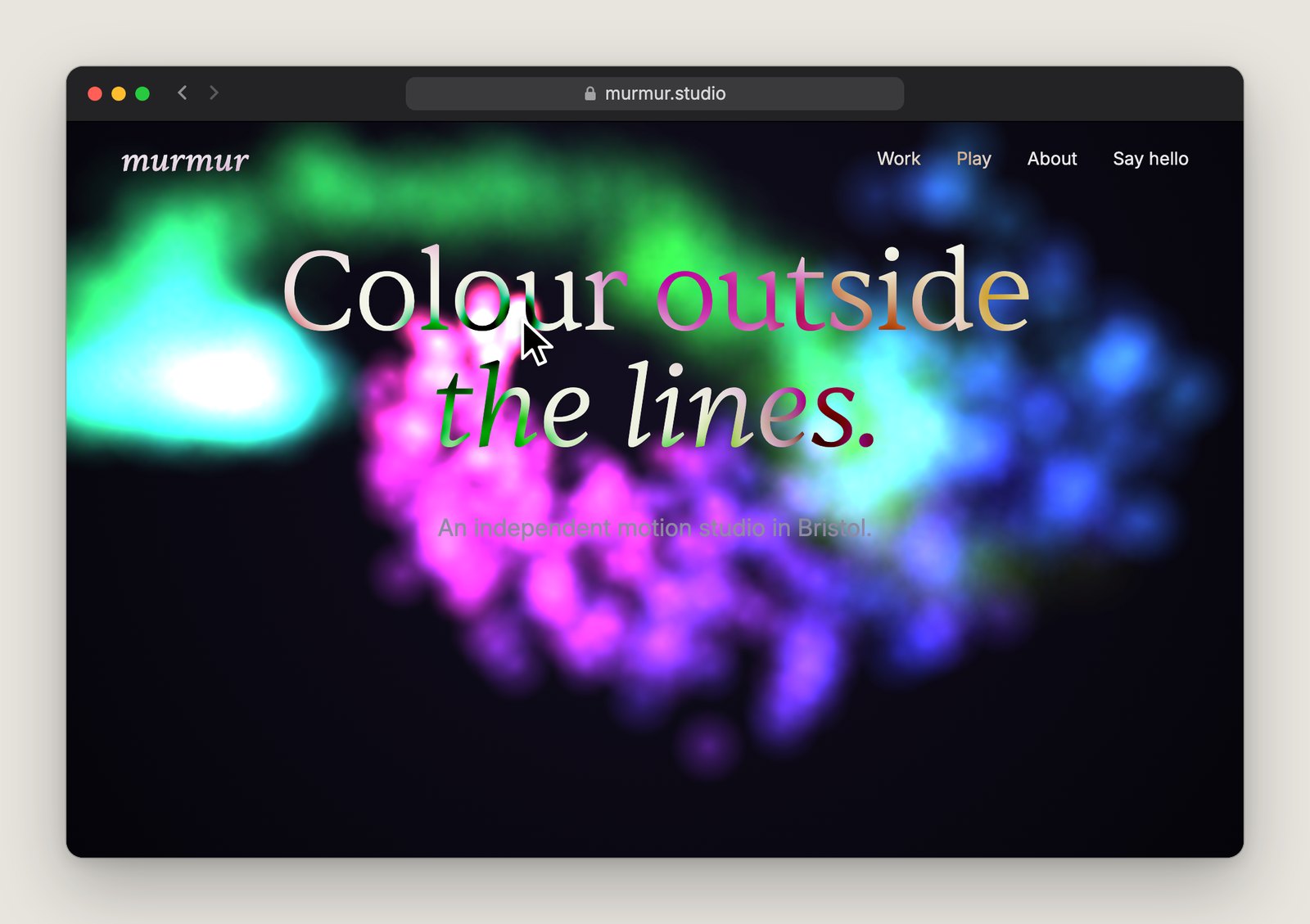
Build a fluid cursor effect for my website. Use what I’ve shared. Ask about the section and colours if needed, one question at a time, and wait for each answer.

Let the pointer stir soft clouds of colour that curl, spread and fade like ink in water, even after it stops. Keep text readable and controls clickable. Limit the simulation resolution and pause it off screen. Use a still background for touch, reduced motion or unsupported browsers.

Give me a standalone HTML demo with adjustable colour, intensity and fade speed.
5. Animated gradient
Let your brand colours slowly melt together behind the headline. Settle on the colours, then read the headline through a full loop. If it disappears against the lightest part, ask the AI to adjust the background behind the text.
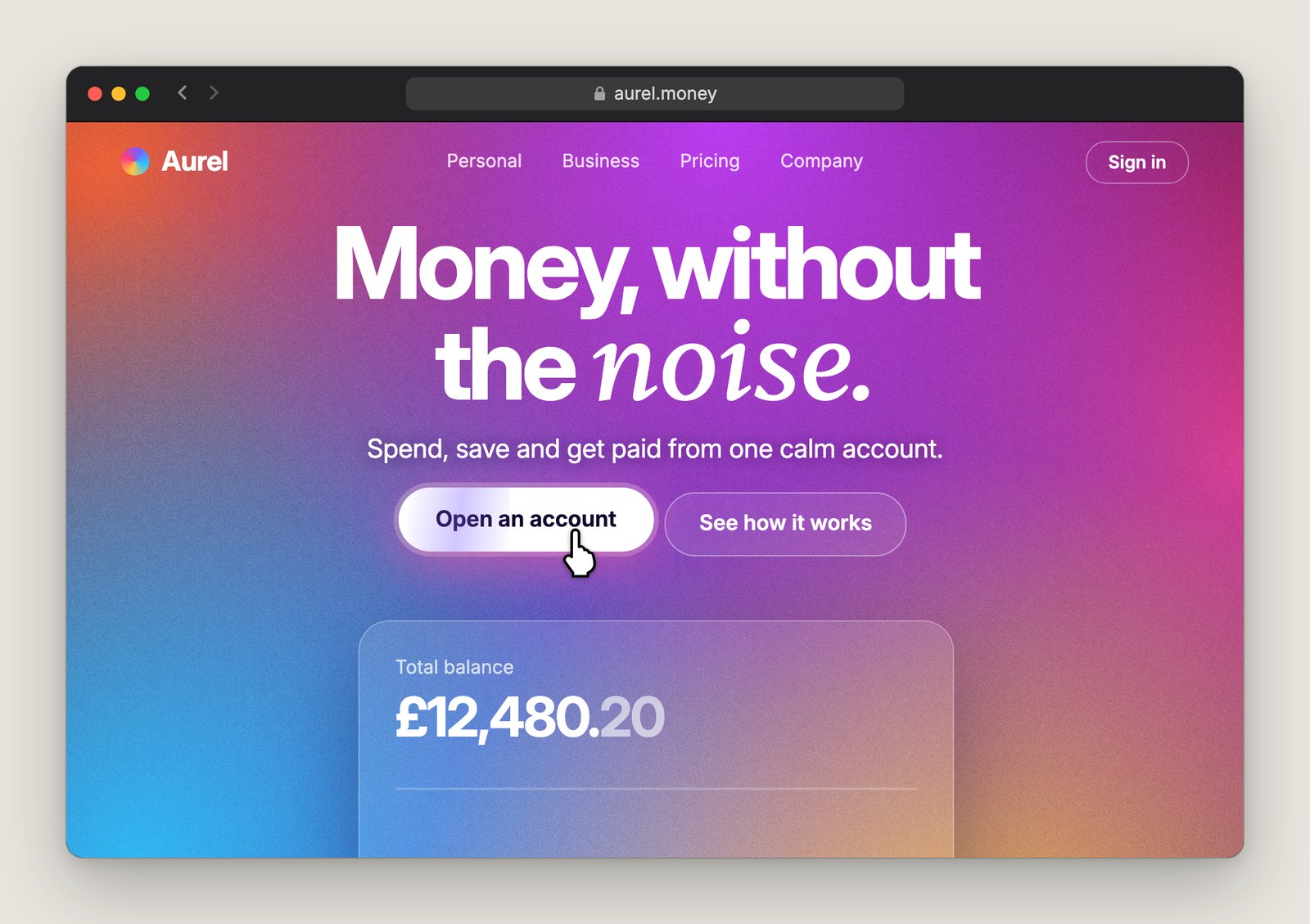
Build an animated gradient behind my headline. Use the page details I’ve shared. Ask for any missing colours or layout details one question at a time, waiting for each answer.

Use overlapping CSS radial gradients so broad patches of brand colour blend and drift in a slow, seamless loop. Keep the copy and buttons still and readable throughout. Add a keyboard-accessible pause control and a static gradient for reduced motion.

Give me a standalone HTML demo and show me where to change the colours and speed.
6. Scroll-reveal text
A line of copy lights up one word at a time as you scroll. The video uses a product paragraph. Try it on one short passage and check what happens when you stop mid-sentence, then scroll back up.
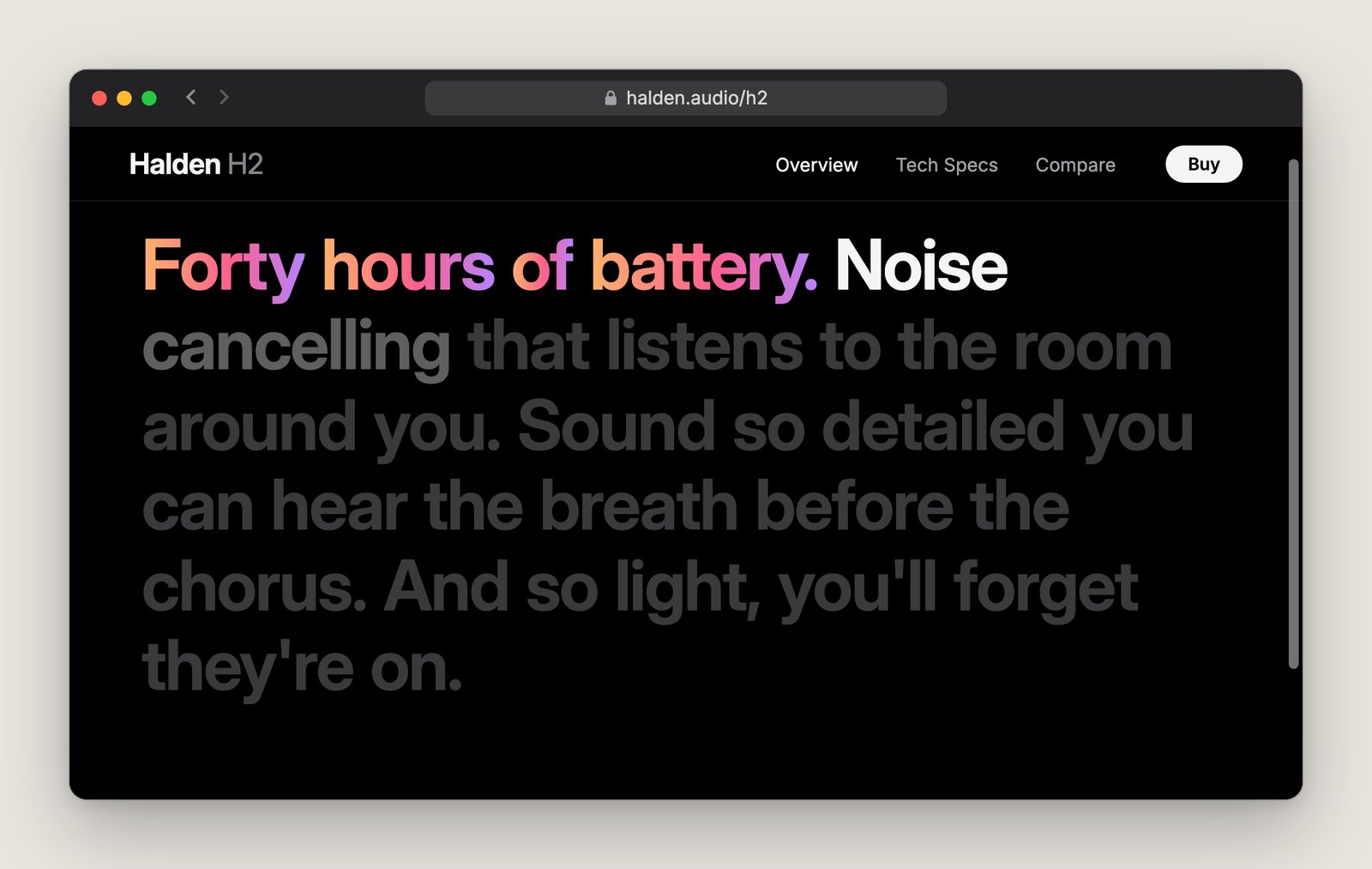
Build a word-by-word scroll reveal. Use what I’ve shared. Ask only for missing details, starting with the passage if needed. Ask one question at a time and wait for each answer.

As I scroll, bring each word from muted but readable to full contrast. Use my accent colour for any phrase I mark. Keep normal scrolling and tie progress to scroll position so the effect holds when I stop and reverses as I scroll back. Keep the passage continuous for screen readers and fully lit with reduced motion or without JavaScript.

Give me a standalone HTML demo with adjustable start and end points.
7. Cursor spotlight
A soft glow follows the pointer across a set of cards. When the cursor sits in a gap, it catches the edges of neighbouring cards at once. Try moving across the gaps to see whether the glow feels like one continuous light.
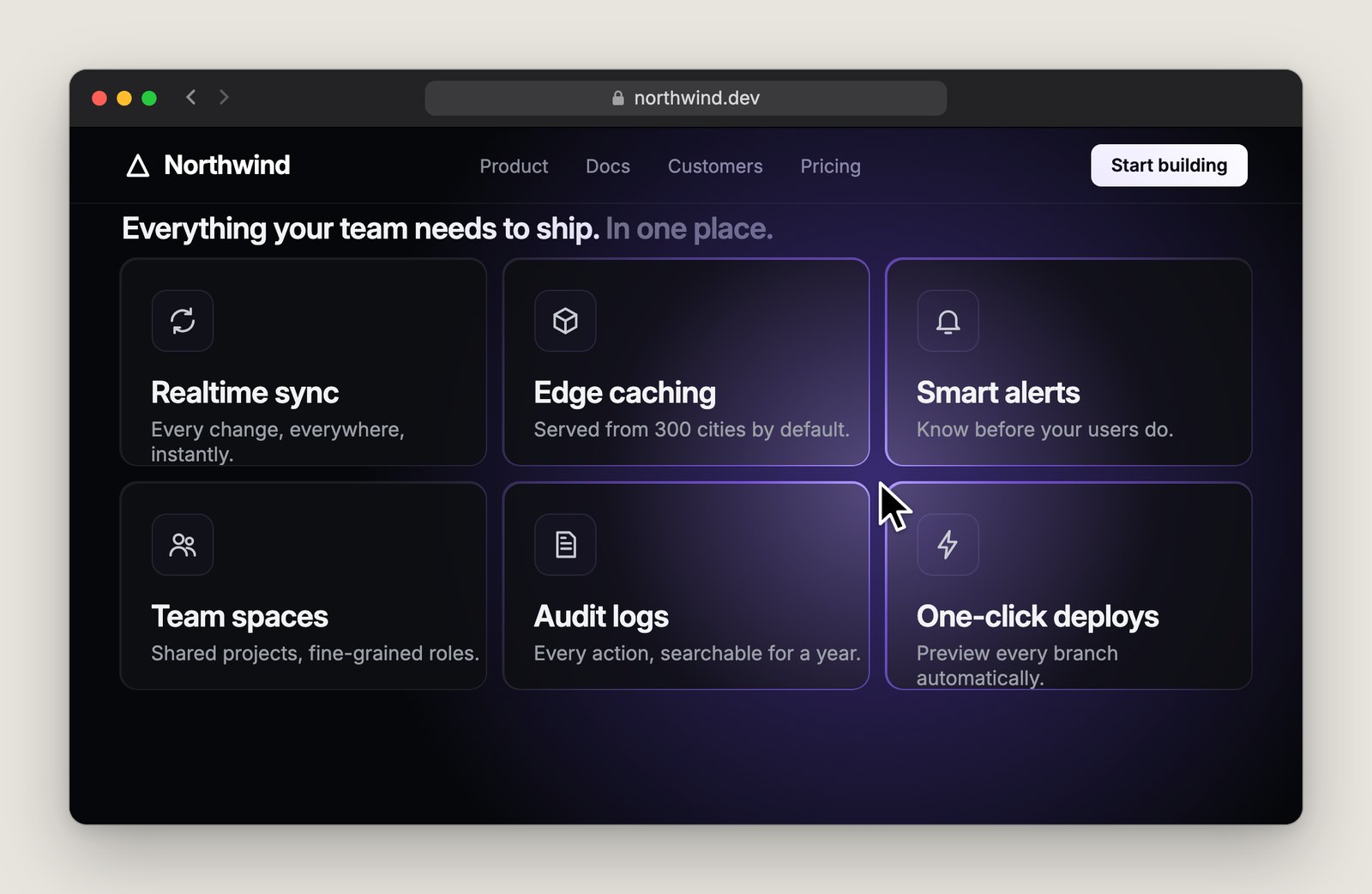
Add a cursor spotlight to my card grid. Reuse the styling I’ve shared. Ask only for missing details, such as which grid to use. Ask one question at a time and wait for each answer.

Make one soft glow follow the pointer across the whole grid. Light nearby card surfaces and borders together, even when the pointer crosses a gap. Fade the glow on exit. Preserve contrast, clicks and visible keyboard focus. Keep the grid still on touch and with reduced motion.

Give me a standalone HTML demo with adjustable glow size, colour and intensity.
8. Logo marquee
Client logos slide past on a slow loop. Watch what happens as the last logo comes round to the first. The spacing should stay even and the row should continue without a jump.
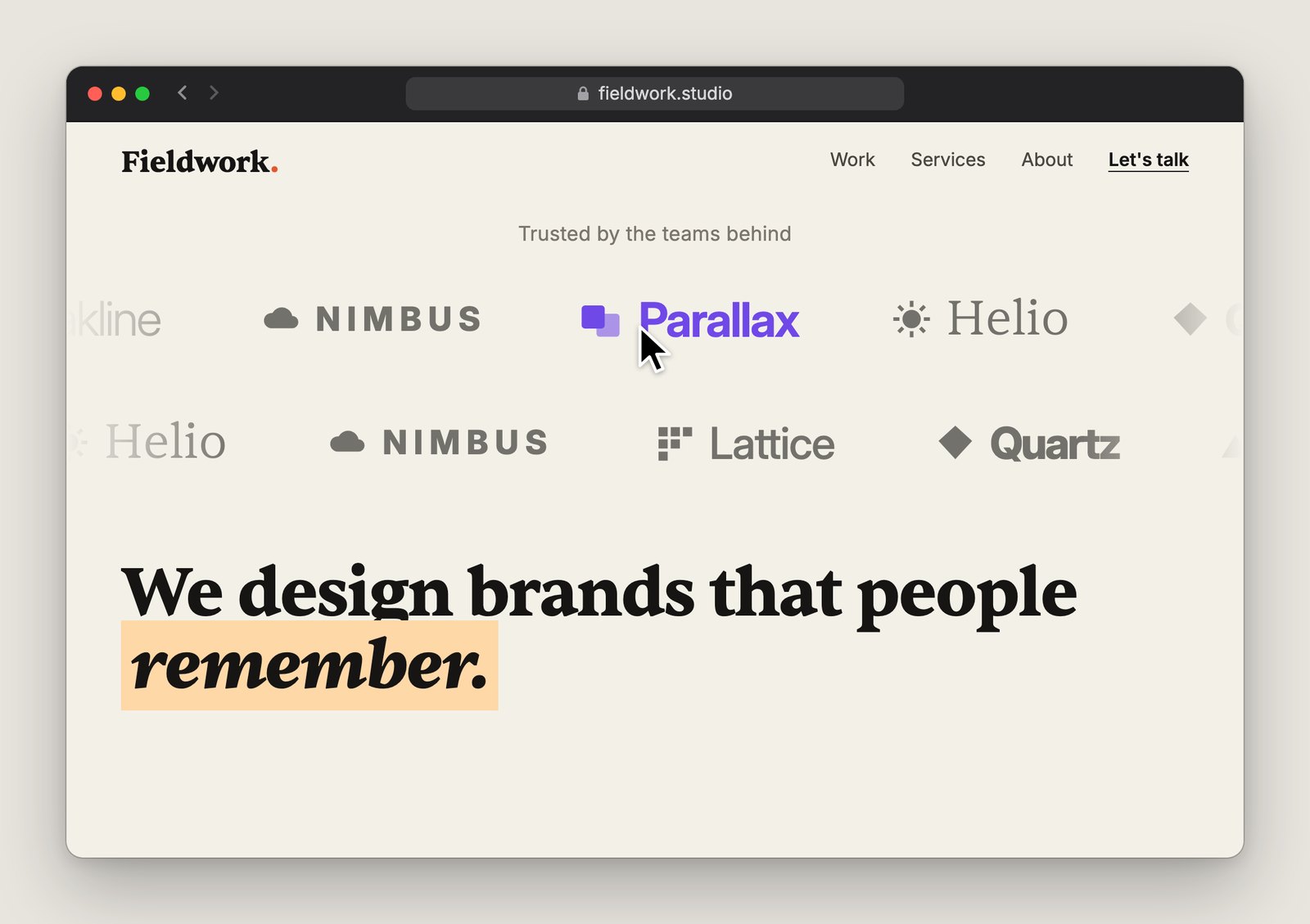
Build a slow, seamless logo marquee. Use only logos I supply or approve. Ask only for missing details, such as logo files or layout preferences. Ask one question at a time and wait for each answer.

Align logos by visual height, space them evenly and fade the row at both edges. Use a second row if it suits the number of logos. Add a visible keyboard-accessible pause and resume button. Hide loop duplicates from screen readers and keyboard focus. Show a static wrapping grid for reduced motion or if animation fails.

Give me a standalone HTML demo and show me where to adjust the speed or add logos.
9. 3D tilt cards
The card leans towards your mouse like a photo in your hand. In the video, the image does most of the work. Keep the tilt small enough that the card still feels easy to click.
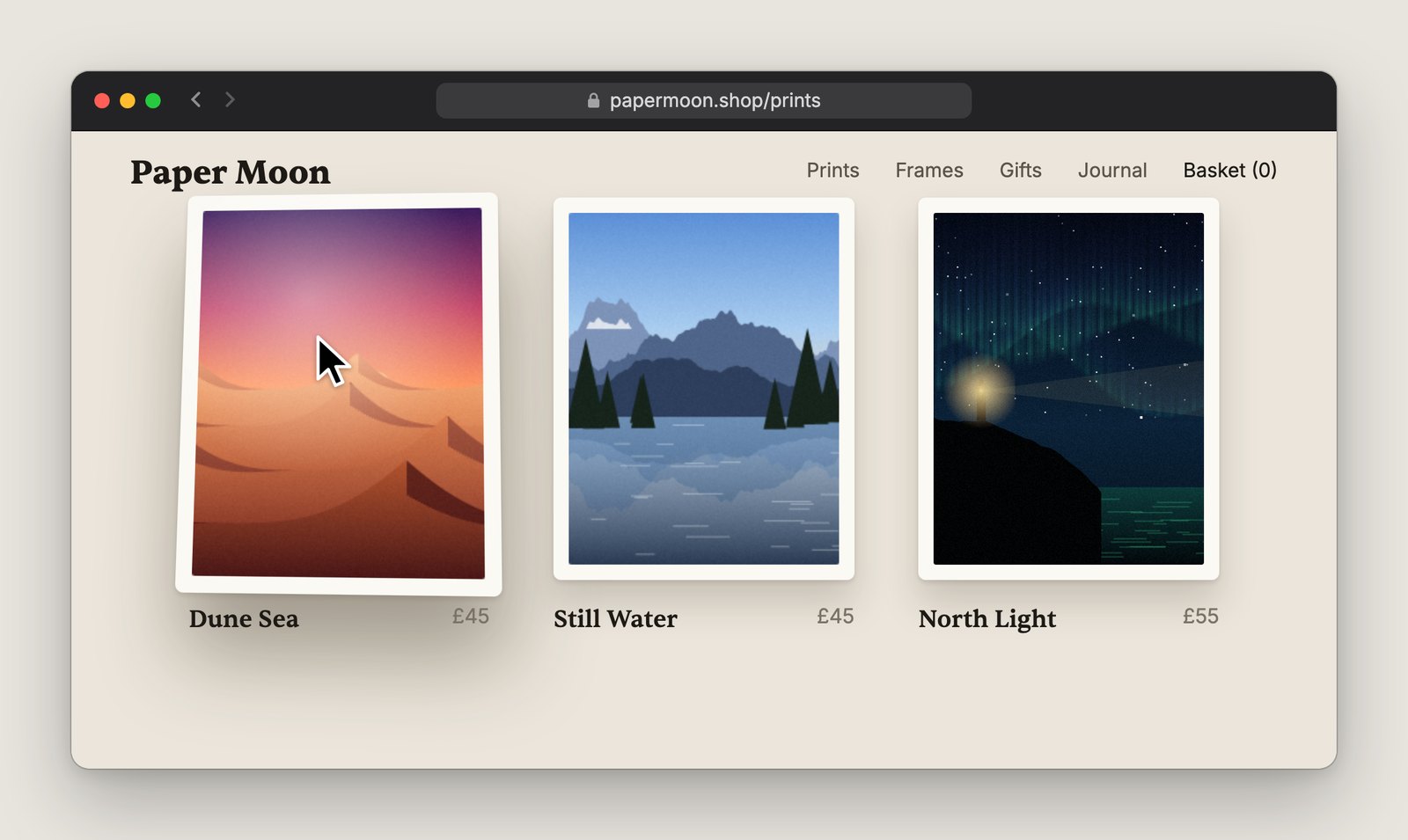
Add a gentle 3D tilt to my cards. Use what I’ve shared. Ask only for missing details, such as which cards to animate. Ask one question at a time and wait for each answer.

Tip the hovered image a few degrees towards the pointer and lift it slightly. Keep labels, layout and click targets still, with visible keyboard focus. Ease the image back to flat on exit. Use flat cards on touch and with reduced motion.

Give me a standalone HTML demo with adjustable tilt and return speed.
10. Interactive globe
A globe you can drag around, with flight paths from your office to the cities where you have customers. All you need for the brief is an office city and a list of destination cities.
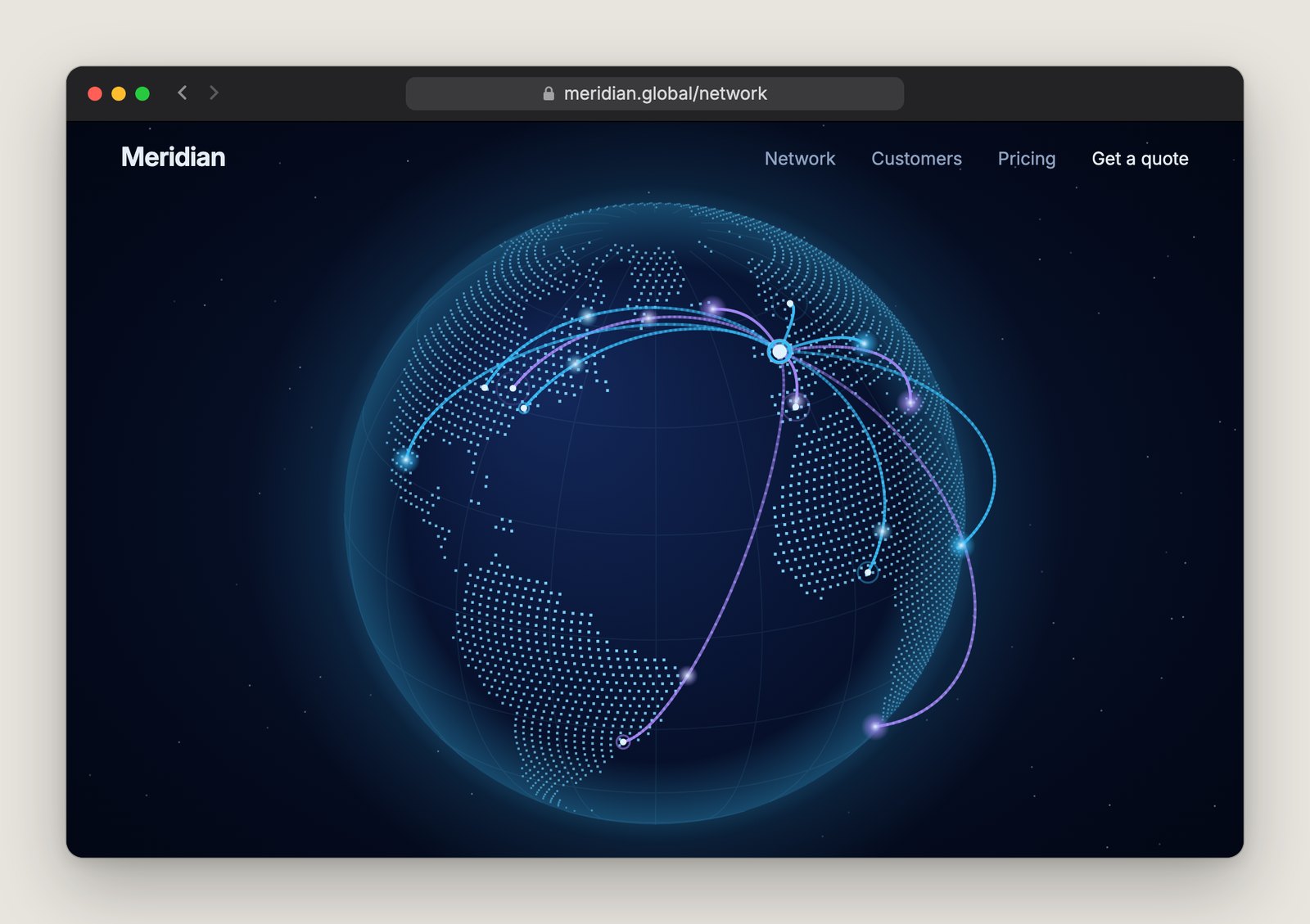
Build an interactive globe using city-level locations. Use any cities I’ve shared. Ask only for missing details, such as the office city or destinations. Ask one question at a time and wait for each answer.

Draw dotted continents and raised, glowing arcs from a brighter office marker to the destinations. Let visitors drag or use the keyboard to rotate, with a reset control. Keep the globe still until someone interacts and skip transitions in reduced motion. Include a city list that works without the globe.

Give me a working browser demo, identify any libraries and put all routes in one editable list.