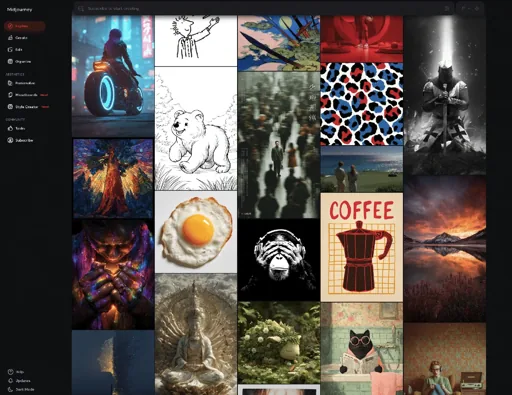
A good design reference can give ChatGPT or Claude a clearer starting point than a vague instruction to make something look professional. These ten galleries collect examples of the things marketers make, from landing pages and emails to social posts and slide decks.
Copy the prompt below alongside your design brief and attach your brand assets. It asks the AI to find relevant examples, explain the design choices it can actually see and use the principles with your own content.
Copy the AI design prompt
Select Copy prompt and paste it into ChatGPT or Claude alongside your design brief. You can also attach a reference screenshot you already like.
Before you design anything in one of the categories below, use these reference galleries. Pick only the one relevant to what I'm designing:
- Landing pages: https://land-book.com/
- Hero sections (the top of a homepage): https://supahero.io/
- Pricing pages: https://pricingpages.design/
- Testimonials and social proof: https://socialproofexamples.com/
- Marketing emails: https://reallygoodemails.com/
- Slide decks, reports and brand guidelines: https://www.deck.gallery/
- Social media posts: https://posts.design/
- Ads: https://www.adfolio.design/
- Website menus and navigation: https://www.navbar.gallery/
- Link preview images: https://www.ogimage.gallery/

Find up to three strong examples from these sites that suit my brief. Link to each one and explain in a sentence what it contributes: layout, type hierarchy, spacing, colour or structure. If you can't see the actual designs, say so and ask me for screenshots rather than guessing from the page text. I may also attach a reference I already like.

Then create my design in the format I asked for. Borrow the layout principles, not the identity: don't copy another company's logo, claims, wording or imagery.
How to use the prompt
- Describe one thing you want to make. Say who it is for and what it should achieve. A landing page for a free webinar needs a different structure from a product announcement on Instagram.
- Add the real content. Supply the headline, body copy, calls to action and any facts you want included. Attach your logo and brand guidelines, or describe your fonts, colours and tone.
- Choose the output. Give the dimensions or format, such as a 1080x1350 post or a web page. Check what your chosen AI tool can produce: you may get a design plan or code rather than an editable file for your preferred app.
- Review the references. Ask the AI to show the examples it chose and explain what it can see. If it cannot inspect the designs, open the galleries yourself and attach screenshots of one or two examples you like.
- Check and refine the result. Compare it with your brief. Check the copy, logo, accessibility and any claims, then ask for specific changes to the hierarchy, spacing or layout.
The references help guide a particular design task. They do not permanently train the underlying model. A link to a gallery also does not guarantee your AI can view its images, so screenshots are a useful fallback.
The 10 design inspiration websites
These galleries are places to find ideas. A design appearing in one is not proof of how well it performs.
1. Land-book: landing pages
Land-book is a gallery of website designs with a landing-page category. Look at how a page introduces its offer, leads the eye to a call to action and spaces supporting sections.
2. Supahero: homepage hero sections
Supahero focuses on hero sections, the first section at the top of a web page. Use it to compare the balance between a headline, supporting copy, image and primary action. It is useful when the top of your homepage needs a clearer message.
3. Pricing Pages: pricing layouts
Pricing Pages collects examples of how businesses present their plans. Compare tier cards, feature lists and comparison tables, then give your AI your actual plans and prices.
4. Social Proof Examples: testimonials and trust
Social Proof Examples gathers ways to present testimonials, reviews, customer metrics and case studies. Look for a format that fits the evidence you have. Supply genuine quotes and permission to use them, or ask for a clearly marked placeholder until you have them.
5. Really Good Emails: marketing emails
Really Good Emails is a library of email examples, including welcome emails, newsletters and product launches. Find an email with a similar purpose and examine the order of its message, imagery and action. Give the AI your own subject, copy and destination link.
6. Deck.gallery: presentations and brand guidelines
Deck.gallery collects slide decks, reports and brand guidelines, including examples from Nike and Burger King. Use it for ideas about pacing, page structure and how much content goes on a slide. Some archive access is paid, so check what is available before relying on a particular deck.
7. Posts.design: social media posts
Posts.design brings together social post examples from different brands, with categories such as launches and updates. Find a post with a similar job to yours and look at how it makes the key message readable. Tell the AI the platform and size you need.
8. Adfolio: advertising examples
Adfolio shows Meta and LinkedIn advertising examples, with a focus on B2B. Look at the relationship between the visual, headline and offer. Use your own evidence and claims. Not every example has an available breakdown.
9. Navbar Gallery: website navigation
Navbar Gallery collects website navigation examples, from simple bars to dropdowns and larger menus. Compare how they group choices and show the most important action. Give your AI a list of your real pages so it can propose a structure that fits your site.
10. OG Image Gallery: link preview images
OG Image Gallery shows examples of the images that can appear when a web page is shared as a link. These are often called Open Graph images. Look for ways to make a page title legible at a small size, then check the preview in the places where you plan to share it.
What to look for in a reference
You do not need ten references for every job. Pick one or two that match the format and audience, then explain what you like about each. For example: “Use the generous spacing and clear headline hierarchy from this page, but use my copy, colours and logo.”
Ask the AI to describe the layout before it makes your version. If its description does not match the screenshot, correct it or try a clearer image. Use the reference to learn from decisions about hierarchy and structure, and keep the finished work distinct with your own brand and material.
Before publishing, check spelling, contrast, mobile layout and that buttons and links work. Verify every statistic and customer quote. If the draft includes a placeholder, replace it or remove it.
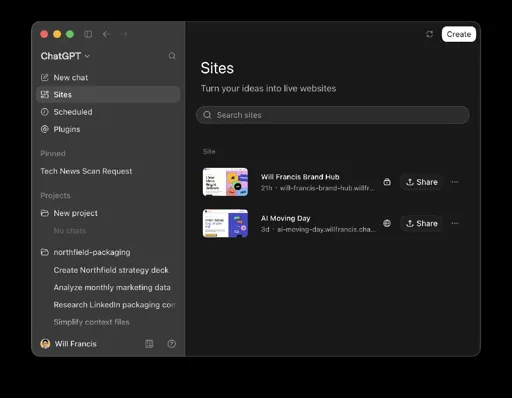
For more practical ideas, see my guides to building a website with ChatGPT Sites and using Claude Skills for Instagram.
Gallery descriptions and availability checked on 19 October 2026. Access and features can change, and some galleries offer paid products or archive access.