
An AI agent can keep working after you close the chat. You might ask it to check your calendar each morning, research competitors every week, or prepare a reply when a client gets in touch. Depending on the product and the permissions you give it, it can use your apps, browse websites and come back when it needs a decision.
There are now quite a few versions of this idea. Anthropic has just announced Claude Duet. OpenAI has dots, Google has Gemini Task, and there are independent products and open-source options too. They vary considerably in what they do, what they cost and how much setup they need.
I use Instinct myself, and I’ve brought together the latest details on the others to help you choose. Features and prices checked on 22 October 2026.
Which personal AI agent should you look at?
- For Claude users: Duet is a proactive assistant for work, with a morning brief and its own cloud computer.
- For ChatGPT users: a dot can take on ongoing projects and work across connected apps.
- For Google users: Gemini Task, previously called Spark, handles ongoing tasks across Google services.
- For a team of agents: Grok Bot lets you give named bots different jobs and have them work together on a shared cloud computer.
- For everyday life admin: Instinct lives in your messages and can handle things like appointments, shopping and travel.
- For a messaging-first assistant: Poke works through messaging apps and has a free plan and paid upgrades.
- For more control: OpenClaw and Hermes Agent let you run open-source software yourself or use hosting. You also take on more responsibility for setup, security and running costs.
Personal AI agents compared
Here’s how the agents stack up. Prices are monthly US prices. Scroll across on a phone.
| Agent | What stands out | Cost |
|---|---|---|
| Claude Duet | Proactive work assistant with a morning brief and its own cloud computer. | Research preview for Pro and Max; Pro is $20/month. Shares your Claude usage limit. |
| ChatGPT dot | Ongoing projects in ChatGPT, with a cloud computer and optional local access. | Included with Pro, from $100/month, and Business Premium; Enterprise beta. |
| Gemini Task | Background tasks and schedules using connected Google services. Formerly Spark. | Google AI Pro ($19.99/month) or Ultra. |
| Grok Bot | Multiple named bots can coordinate on a shared cloud computer. | Trial; included with plans such as The X Subscription Premium ($30/month). |
| Meta Muse | Personal assistant with connections to Meta business tools and other apps. | Free and paid plans. |
| Poke | A personal assistant you message in familiar apps. | Free tier; Pro $19/month and Ultra $199/month. Usage limits and extra charges can apply. |
| OpenClaw | Open-source agent you can run yourself, with messaging and scheduled work. | Software is free; hosting, models and tools can cost extra. |
| Hermes Agent | Open-source agent with persistent memory, skills and an optional hosted service. | Software is free; model, tool and hosting costs can apply. |
| Instinct | Assistant you can text or call for everyday tasks. | Free during early release, according to The Verge. |
What does “always on” actually mean?
A normal chatbot waits for you to start a conversation. An always-on agent can keep a task moving in the background, or return to it on a schedule. It might search the web, read a document, use a connected app and produce something for you to review.
That does not mean it is watching everything continuously or has unlimited freedom. Duet, for example, checks connected accounts every few hours, according to Anthropic. Other agents work from a schedule, a trigger or a task you have given them. A self-hosted agent needs a computer or server that is actually running.
The useful question is: what do you want it to keep track of, and what should it ask you before doing? A weekly competitor briefing is very different from an assistant with permission to send messages or spend money.
You may not need a new agent for a scheduled briefing. For example, Claude Cowork can run recurring tasks on paid plans, and new schedules run in the cloud. Duet adds a separate, more proactive experience that checks connected accounts and decides when to get your attention.
Claude Duet: a proactive assistant for your work
Anthropic announced Claude Duet on 21 October. It is a separate experience on Claude’s website and in standalone iOS and Android apps, designed for professionals and small business owners.
Duet uses Claude Opus 5.5 and brings across your Claude memory, skills and connected apps. Anthropic says it can send a morning brief, check connected accounts every few hours, and work on tasks using a cloud computer and browser. That means your own laptop does not have to stay on.
For a marketer, a useful assignment might be: check the campaign documents and recent client emails, identify decisions needed this week, and prepare a short briefing with links to the original material. Anthropic also describes connections to tools such as Gmail, Slack, HubSpot, Canva and Shopify.
What it asks you first: Anthropic says Duet seeks approval before sending a message, making a payment, signing a document or deleting anything. It says trading securities and moving money between accounts are off-limits, even with approval.
Cost: Duet is in research preview for Claude Pro and Max subscribers, with no separate charge. It shares your Claude usage limit. Claude Pro is $20 a month when billed monthly; Max costs more. Anthropic says the early version can misread a thread or misjudge urgency, and you cannot yet watch its browser work.
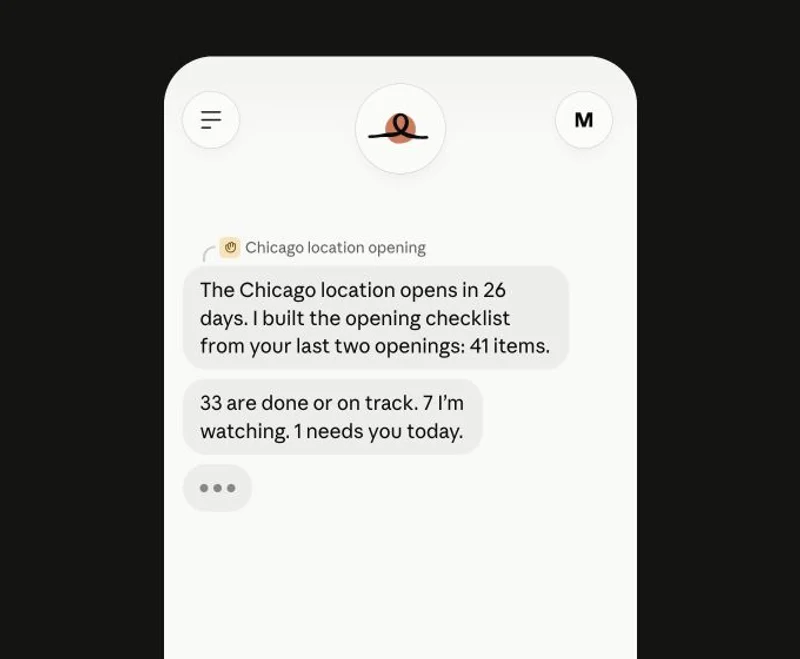
Anthropic’s introduction shows the intended experience:
ChatGPT dot: an agent for ongoing projects
A dot is OpenAI’s always-on agent inside ChatGPT. It uses GPT-6 Astra, has its own cloud computer and can work across the apps you connect. You can give it a name, talk to it in ChatGPT, and follow the work it has in progress, scheduled or completed.
A dot can also do proactive research: looking through information in connected apps and suggesting ways to help. OpenAI says this background research uses read-only tools. That is different from a task you give it that might need to change something or send a message.
You can choose to connect your own computer, but local access starts off. If you enable it, the agent can work with local files and apps, so read the permission carefully. Disconnecting a connected app does not automatically delete information the dot has already retained. OpenAI explains the distinction in its privacy and safety FAQ.
Cost: OpenAI includes the first dot with Pro and Business Premium. Personal Pro starts at $100 a month, and Enterprise has an admin-enabled beta. OpenAI also sets an allowance for deeper work.
OpenAI’s DevDay follow-up gives a longer look at the kinds of tasks a dot can handle:
Gemini Task: Google’s agent, formerly Spark
If you have seen this called Gemini Spark, Google has since renamed it Task. Start one using the Chat and Task toggle next to the prompt box. Existing tasks and schedules remain in the sidebar. See Google’s task guide.
Gemini can use connected services and a browser to carry out a multi-step task or run it on a schedule. Google gives examples such as organising an inbox, monitoring prices and creating a research file. Its close connection to Gmail, Calendar, Drive and other Google services is the obvious attraction if that is where you already work.
There is a useful difference between its local and remote browsers. Your local computer and Chrome need to stay awake while Gemini uses them. A remote browser can continue when you close the device, and you can take over when it needs you to sign in. Google asks for confirmation before starting a browsing task, rather than before every action within it.
Cost: Gemini Task is part of Google AI Pro and Ultra. Google lists AI Pro at $19.99 a month.
Google’s original introduction uses the former Spark name, but shows the kind of recurring work the feature was made for:
Grok Bot: give different bots different jobs
Grok Bot lets you create named bots with different jobs. They can remember their roles, work in parallel and hand tasks to one another. They have a cloud computer with a browser and files, so they can keep working when you close your laptop.
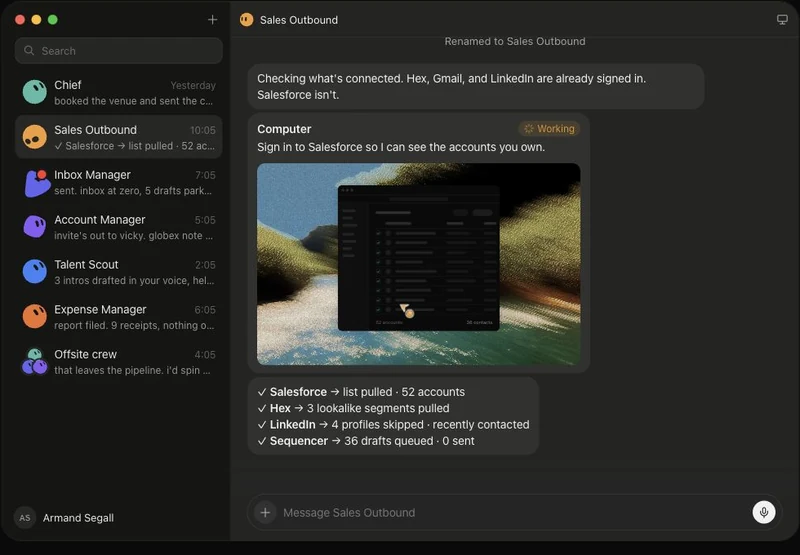
For example, you could ask one bot to research the latest news from a handful of competitors, with links to the original sources. A second could use that research to suggest LinkedIn posts. You can put them in a group conversation, follow the handoff and review the drafts yourself before anything is published.
Getting started: give one bot a clear, manageable job first. If you like the result, you can save the process as a skill and set up a routine to run it on a schedule or after an event. You can also demonstrate a browser workflow using “Teach a task”, and the bot will turn it into a draft skill. The skills and routines guide explains the steps.
You can watch a bot use its computer and take over when you need to sign in. The important detail is that all your bots share one cloud computer, including its files, browser sessions and app logins. Each bot has its own screen, but a separate name does not create a separate security boundary. Treat information on that computer as available to all the bots on your account.
Grok Bot’s approval settings let you add rules to ask before actions such as sending an external email. One other detail: despite the name, Grok Bot can use third-party models as well as xAI models; you cannot choose or see which model handled a particular request.
Cost: there is a seven-day trial with a usage allowance. Grok Bot is included with Premium, Super and Ultra on The X Subscription; Cursor lists Premium at $30 a month. Paid legacy Cursor plans and linked SuperGrok subscriptions are other options. On The X Subscription, Grok Bot shares a weekly usage pool with Cursor and the Grok apps, with paid top-ups available.
In this 30-minute session from the Grok Bot team, Josh Kim demonstrates a set of marketing bots working across a campaign. There is also a written walkthrough of his setup:
Meta Muse: a personal assistant with business connections
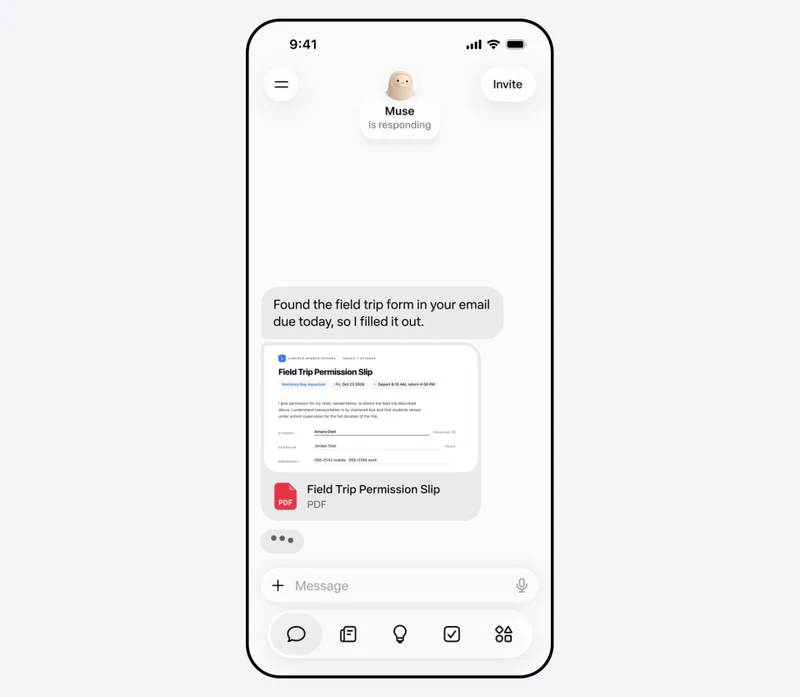
Meta Muse is a hosted personal agent with its own browser and virtual computer. It can work on tasks in the background, and you can interact with it in the app or through WhatsApp.
A big draw for marketers is the connection to the tools around a small business. Meta describes connections to Instagram and Meta advertising accounts, alongside services such as Shopify, Canva, Slack and Notion. In its small-business announcement, Meta says publishing, sending and spending require approval.
Cost: Muse has a free tier and paid plans.
Poke: an assistant in your messages
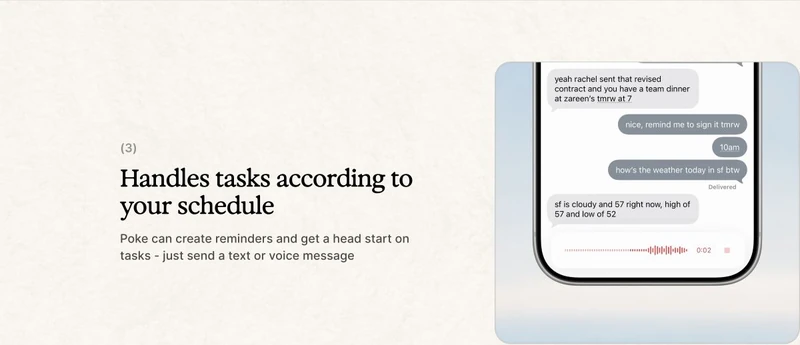
Poke is built around messaging. You can use it through Apple Messages, WhatsApp, Telegram or RCS, connect an email account and calendar, and ask it to help with tasks or reminders.
That makes it a useful one to investigate if you want an assistant in a conversation you already use, rather than another dashboard. Its FAQ lists Gmail and Outlook support, as well as connections to tools including Notion and GitHub.
Cost: there is a free tier. Poke lists Pro at $19 a month and Ultra at $199 a month, with higher limits and additional features. Pro includes background automations; Ultra also offers pay-as-you-go usage beyond its credits.
OpenClaw: run your own agent
OpenClaw is open-source software for running an agent on a computer or server you control. It can connect to messaging services, use tools and run recurring jobs. Its heartbeat feature can wake it periodically to check for work.
The attraction is flexibility: you choose where it runs, which model it uses and which tools to connect. The trade-off is that you are responsible for keeping the system running and securing it. If you install it on a laptop that is shut down, it cannot keep working there in the background.
The software itself is free, but a hosted server, paid AI model or connected service can add costs. Self-hosted also does not automatically mean private: check where the model and tools process your data.
Hermes Agent: open source with memory and skills
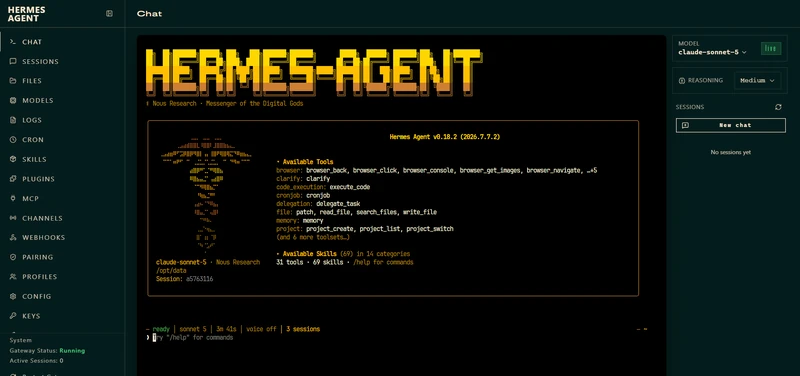
Hermes Agent, from Nous Research, is another open-source option. It keeps memory between sessions, can create reusable skills from work, and supports scheduled tasks and several messaging services. There is a desktop app as well as a terminal installation.
You can run Hermes yourself or use Nous’s optional cloud service. As with OpenClaw, an agent running on your own computer stops working when its process stops. Hosting can keep it available, but compute, storage, models and tools have their own costs.
I would look at Hermes if you want to customise how an agent works and are comfortable learning some setup. For someone who simply wants a daily briefing, a managed product may be easier to start with.
Instinct: an assistant you text or call
Instinct is a personal assistant you text or call. It uses a phone and computer to get things done: booking a train, ordering groceries, finding a place to play tennis or sending flowers. I have it in my text messages and find it quite useful.
That simple interface is a big part of its appeal. You send a message when something occurs to you, then Instinct gets on with the job and replies in the same conversation. It’s well suited to the small bits of life admin that pile up during the week.
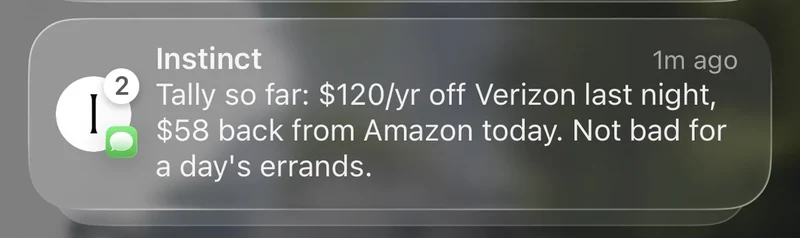
People have put it to work on some surprisingly involved errands. In a month-long review for Android Authority, Sanuj Bhatia used it to track flight prices, contact airlines about missing points, compare insurance quotes and send him a morning Gmail rundown. He liked having it on WhatsApp, where it became part of his daily routine. He also reported that it sent an email before he had approved the final draft.
The Verge’s Allison Johnson had it arrange an eye appointment and start an IKEA return. It also spotted a calendar conflict she hadn’t asked about. In another task it found swimming lessons but missed a prerequisite class.
For me, Instinct is one of the clearest examples of what a personal agent can be: something you can message in the moment and put to work on an actual task.
Five useful first jobs for an AI agent
Start with something repeatable that produces a draft or a briefing. It is much easier to judge the result when you know what a good one looks like.
- Prepare for the week: check your calendar and produce a short list of meetings, preparation needed and outstanding decisions.
- Follow a topic: once a week, find meaningful updates from a small list of competitors or industry sources. Ask for links and dates, not just summaries.
- Turn meeting notes into actions: identify decisions, owners and deadlines from a specific document. Ask it to flag anything unclear rather than inventing an owner.
- Review a campaign: compare a brief, recent results and feedback, then prepare questions for your next meeting. Check any numbers against the source.
- Draft follow-ups: prepare replies based on a specific thread and leave them for your approval. Do not start by allowing automatic sending.
Which one would I choose?
I’d start with the job you want to hand over. If your work already lives in Claude, ChatGPT or Google, its own agent is a natural place to begin. Instinct and Poke are appealing if you want an assistant in your messages. Grok Bot is interesting if you want several agents working together. OpenClaw and Hermes give you more control over your setup.
Whichever you choose, give it one well-defined job and the context it needs to do it. Connect the relevant accounts, decide what you want to review first, and see how it fits into your week. If it saves you time, give it another job.
For more ways to organise your work, read my guide to building an AI command centre.
Product details and prices checked on 22 October 2026.