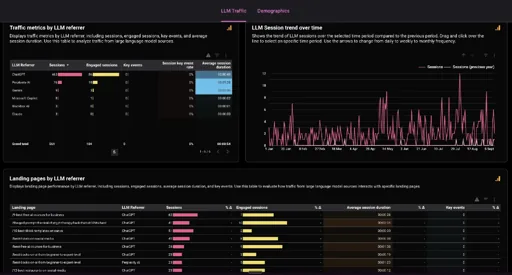
A command centre is one page that pulls everything you check each morning into a single view: your website traffic, your social numbers, your money, your calendar, your inbox. You open it once and see where things stand, instead of logging into six different tools to piece it together.
You don’t build it by hand and you don’t need to code. You describe what you want, and Claude does the gathering and the building. Here’s how.
Set it up
Open the Claude desktop app and go to Claude Code. You can use Cowork instead if you prefer. It doesn’t matter which.
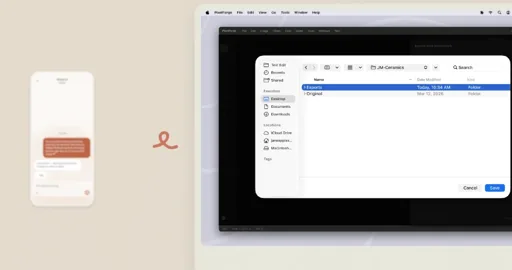
Select a folder on your computer. This is where the dashboard files will live. There’s no hosting or setup to worry about: you’ll just double-click the dashboard file and it opens in your browser. That’s it, it’s working.
Set the model to Opus 4.8, High Effort. Or whatever the best model is you have access to. You want Claude to give you a finished product that works, not a half-baked one that needs fixing.
Connect your tools
Go to Customize, then Connectors. The dashboard can only show numbers from tools it’s allowed to read, so connect the ones you want in your view.
To match my setup, connect your finance system, web analytics, Google search console, mail, calendar and meeting notes. For social data I use vidIQ and TokScript. Between them they pull everything from YouTube, Instagram and TikTok. TokScript has an MCP server you can add to your connectors in a minute.
Start with two or three sources, get it working, then add more once you trust it.
The prompt
Once your accounts are connected, paste this in:
Build me a mission-control dashboard as one local HTML page. You're the data engine: probe every connected tool first; only build panels that return real data, no mocked numbers. Store the data in a .js file the page reads, and write me an AI morning briefing whose prioritized actions cross-reference my tools. Dark NASA-control-room design with a privacy toggle that blurs money. Build yourself a refresh skill, schedule it every morning, mark failed sources offline — never break the page — then screenshot every panel to prove it works.
Personalise it to whatever you need.
The one line that matters most is “only build panels that return real data, no mocked numbers”. Without it, AI tends to fill gaps with plausible-looking made-up figures, which is worse than useless on something you’re meant to trust.
Make it yours
Once the basic version works, ask for changes in plain English. “Add a panel for my newsletter signups.” “Put the money section at the top.” “Make the briefing shorter.” You can teach it your own rules too, like never flagging a late invoice from a client who always pays slowly.
The first time you build it, check the figures against the original tools for a few minutes. Does the visitor count match your analytics? Does the cash match your bank? Once you’ve confirmed it’s pulling honestly, you can stop checking and start trusting it.
Build it once, let it run every morning, get your twenty minutes back.